
9 min read
Disclosure: As an Amazon Associate and eBay Partner Network publisher, we earn from qualifying purchases. This doesn’t affect what we recommend or how we describe it.
Most guides treat setting a kitchen timer as foolproof—just twist, tap, or shout at it and you’re sorted. Yet, if you’re genuinely forgetful, easily distracted, or you tend to walk away mid-task (hello, burning toast), you know it’s not that simple. The real trick isn’t just setting a timer, but picking one you’ll actually hear, remember to use, and not accidentally leave in the laundry basket. Let’s break down the practical, real-life steps to getting kitchen timing right—no matter how chaotic your day gets.
Kitchen Timer Options for Busy (and Distracted) People
| Type | Timer Range | Max Volume | Reminder Capacity | Mounting Option |
|---|---|---|---|---|
| Manual Twist Timer | 1–60 min | 75 dB | 1 | Countertop only |
| Digital Magnetic Timer | 1–99 min | 95 dB | 2–3 | Magnet/stand |
| Voice-Activated Smart Speaker | 1 sec–24 hr | 85 dB | Unlimited | Plug-in only |
| App-Based Timer on Phone | 1 sec–99 hr | Custom (device) | Unlimited | Pocket/desk |
Related Guides
- How to Set a Kitchen Timer: A Simple Guide for Busy Cooks
- Our guide to Analog Kitchen Timers That Actually Work: No-Nonsense Picks for Busy Cooks
- Our guide to Waterproof Pill Cases That Actually Keep Your Medication Dry
- Our guide to Compact Pill Organizers That Actually Help You Remember Your Meds
- Our guide to Digital Countdown Timers for Busy and Forgetful People
- Digital Planners vs Paper Planners: Which Is Right for You?
Beginner’s pre-purchase checklist
- Check your usual cooking times—if you routinely slow-cook or bake, pick a timer with at least a 2-hour range.
- Test how loud your current phone or kitchen gadgets are in your home’s noisiest spot—aim for at least 85 dB if you often miss alarms.
- Measure fridge or oven door space if you want a magnetic timer; some magnets are weak or oversized for smaller appliances.
- Count how many timers you realistically need at once (e.g., one for pasta, one for bread)—look for multi-alarm or multi-timer options if you juggle tasks.
- Decide if you need a timer you can reset quickly with one hand—helpful if you’re often multitasking or wrangling kids.
- Assess your battery tolerance—if you always forget to replace batteries, consider wind-up or plug-in models.
- Check for tactile controls if you have dexterity issues or cook with wet hands; flush touchscreens can be finicky when you’re in a rush.
Step-by-step guide: How to set a kitchen timer (for real people)
- Pick the right timer for your task.
Decide if you need a manual, digital, app-based, or voice-activated timer. For quick boiling eggs, a twist timer works. For multiple dishes, use a digital or app timer with several alarms. - Place the timer where you’ll hear it.
Magnet it to the fridge at ear level, set it on a central counter, or keep your phone in your pocket—don’t hide it behind the bread bin where even a foghorn won’t help. - Set the desired time.
For manual timers, twist to your chosen minute mark (e.g., 10 for eggs). With digital timers, tap in the minutes and seconds using the buttons. On a phone or smart speaker, say or tap the time clearly (e.g., “Set timer for 12 minutes”). - Double-check the alarm is active.
Watch for a blinking light, listen for a confirmation beep, or check the display. If you’re using a voice assistant, ask it to repeat the timer back to you. - Do a quick sound check.
Press the test/alarm button if available, or set a 1-minute timer as a test. Make sure you can hear it from the next room (or over your podcast). - Start your task and keep the timer within earshot.
Don’t wander off with headphones unless your timer will vibrate or send a notification to your pocket. - When the alarm sounds, reset or stop it immediately.
This prevents it from blending into background noise or, worse, getting ignored until you find the burnt remains of dinner.
Manual twist timer quirks
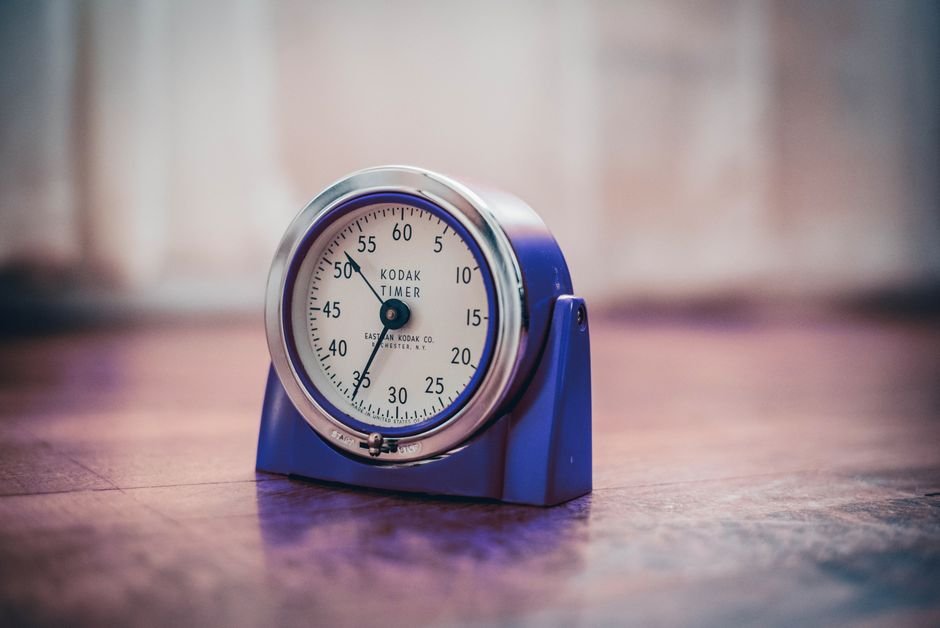
Manual twist timers are the old-school favorites—no batteries, no Wi-Fi, just a satisfying tick. But they aren’t perfect for everyone. Their maximum range is almost always 60 minutes, so they’re hopeless for long bakes or slow-cooking. Alarm volume is usually around 70–75 dB, which can be drowned out by a boiling kettle or a noisy extractor fan. One sneaky quirk: you have to twist them past 30 minutes before setting a shorter time, or the spring mechanism might not work. If you’re the type who sets a timer for “just 3 minutes,” this can be a dealbreaker.
On the plus side, these timers don’t need batteries and can survive a fall onto the tile floor (unlike your phone). They’re also immune to Wi-Fi outages or app crashes. If you’re forgetful about charging things but always remember to wind your watch, this could be your best bet. Compare options
Digital magnetic timers: louder, longer, more flexible
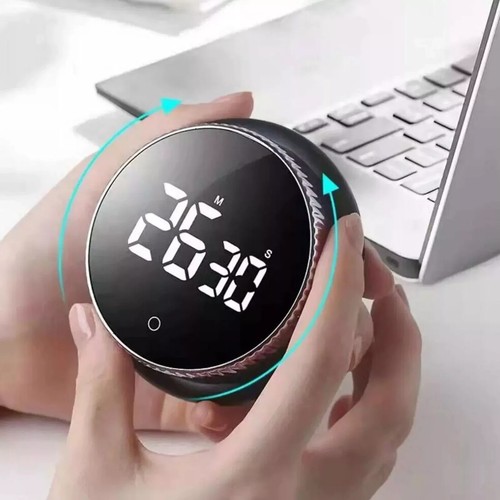
Digital magnetic timers are a massive upgrade for busy kitchens. Most have a max range of 99 minutes (some go up to 199), and the alarm can hit 90–95 dB—enough to cut through most household chaos. Look for models that let you set at least two independent timers. This is a lifesaver if you’re juggling pasta, veggies, and a tray of cookies all at once.
Magnets are handy, but not all are created equal—some barely cling, while others could hold up a cast iron pan. Check the magnet strength (at least 200g pull force if listed), or look for a fold-out stand if you don’t trust your fridge’s surface. Battery life typically runs 6–12 months on a single AAA battery, unless you leave the backlight on constantly. See today’s deals
App-based timers: endless range, but easy to ignore
Using a timer app on your phone gives you near-unlimited timer range (from seconds up to 99 hours or more), and you can run as many alarms as your device’s memory can handle. This is perfect for marathon meal preps or managing multiple chores at once. However, phone timers have a fatal flaw for the forgetful: if your phone is on silent, or buried under a stack of mail, you might miss the alert entirely.
If you’re determined to use your phone, crank up the ringer and put it somewhere central. Some apps let you set recurring reminders or persistent notifications, which can help if you’re prone to dismissing alerts without acting. Bonus: you can combine timer apps with calendar reminders for recurring kitchen routines (like feeding a sourdough starter every 12 hours). View what’s available
Voice-activated smart speakers: hands-free, but not always practical
Smart speakers with voice assistants can set timers for anything from “one minute” to “next Tuesday at noon.” They’re fantastic if your hands are covered in dough or you’re wrangling a toddler while prepping dinner. You can set unlimited timers, name them (“pasta,” “laundry,” “bread”), and get audio feedback. But, they need to be plugged in, and the alarm is only as loud as the speaker—which might max out at 80–85 dB.
One major pitfall: if you have multiple speakers in different rooms, you might forget which device is set to go off. Also, if your Wi-Fi drops, so does your timer. Still, for those who already use voice assistants, this can be an effortless upgrade—just remember to ask it to repeat your timer so you know it heard you.
Frequently asked questions about kitchen timers
How loud is the alarm on a typical kitchen timer?
Manual twist timers average around 70–75 dB, which is about as loud as a vacuum cleaner. Digital timers can hit 90–95 dB, making them much easier to hear over busy kitchen noise. If you need something even louder, look for models advertised for “hearing impaired” users, which may go up to 110 dB.
Can I set multiple reminders at once?
Most manual timers only allow a single countdown. Digital kitchen timers often offer 2–3 timers running at once, while app-based and smart speaker timers can handle unlimited reminders—ideal if you’re juggling several dishes or tasks at once.
Which is better for heavy sleepers or the easily distracted: digital or manual?
Digital timers are almost always louder and more persistent than manual ones. If you often miss alarms, pick a digital timer with a volume above 90 dB or one that vibrates as well as rings. Manual timers are fine for quiet kitchens, but easy to miss in a busy household.
Is it easy to reset or restart a kitchen timer?
Manual timers need to be rewound each time, which can be fiddly if your hands are wet. Most digital timers have a “reset” or “repeat” button—look for this feature if you need to run the same timer several times in a row. App-based timers let you restart with a tap or voice command.
Does a magnetic timer stick securely to the fridge?
Magnet strength varies wildly. Some timers barely cling, while others are strong enough to hold up a calendar. If possible, check the pull force (measured in grams or ounces) or look for user reviews mentioning fridge performance. Also, test your fridge surface—some stainless steel appliances aren’t magnetic at all.
How long does the battery last in a digital kitchen timer?
Battery life depends on how often you use the timer and whether it has a backlight or large screen. Most digital timers run 6–12 months on a single AAA battery, but models with big displays or constant illumination may need a change every 3–6 months. Always keep a spare battery in your “junk drawer” just in case.
Can I return a timer if it’s not loud enough or doesn’t work with my appliances?
Most stores allow returns within 14–30 days if the timer isn’t a good fit, but check the return policy before buying—especially for electronics. If you’re buying online, look for sellers with clear warranty and return info. Some timers have a 1-year warranty covering defects, but not accidental drops in the soup.
Why timer reliability matters (and where to learn more)
Forgetting to set (or hear) a kitchen timer is one of the top causes of ruined dinners, wasted food, and even household fires. According to the National Fire Protection Association, unattended cooking is the number one cause of home kitchen fires. A reliable timer isn’t just a convenience—it’s a genuine safety tool. When you choose a timer that fits your habits and your home’s noise level, you’re making your life easier and your kitchen safer. For more tips on safe kitchen practices, check out NIDirect’s kitchen safety advice.


Still going to forget, aren’t you?
DontForget is a free Telegram reminder app that doesn’t ping once and give up — it hounds you (in a tone you choose, from gentle to brutal) until you actually do the thing. Nothing to download; it runs right inside Telegram.
Try DontForget free →Last updated: July 2026 · Our editorial process