6 min read
How do you actually remember to take your medication every single day—without missing doses, double-dosing, or completely forgetting until you wake up at 2 a.m. in a panic? For anyone who’s scatterbrained, juggling family schedules, or just plain forgetful, setting up a medication schedule that sticks often feels like a lost cause. The good news: with the right tools and a practical setup, you can finally stop guessing whether you’ve taken your meds and actually stay on track—without sticky notes plastered everywhere or a calendar that you never check.
Comparing the main ways to set up a medication schedule
| Setup Type | Best For | Reminder Capacity | Alarm Volume | Battery Life |
|---|---|---|---|---|
| Pill Organizer with Built-in Alarm | Physical reminders, travel | Up to 6 alarms/day | Up to 110 dB | Up to 30 days |
| Simple Phone Reminder App | Always with phone, tech-comfy | Unlimited | Phone’s max (70–100 dB) | Phone-dependent |
| Magnetic Fridge Chart with Manual Dial Timer | Visual cues, kitchen-centric | 1–4 daily slots | Timer bell: 80–90 dB | Manual wind-up |
| Wearable Vibration Reminder Band | Discreet, hearing-impaired | Up to 12 alarms/day | Vibration only | 5–7 days |
Step-by-step guide: How to set up a medication schedule that actually works
- Gather all your medications and instructions. Collect pill bottles, inhalers, or anything you need to take, plus the instructions for when and how to take them. This helps prevent accidental double-dosing or missed doses.
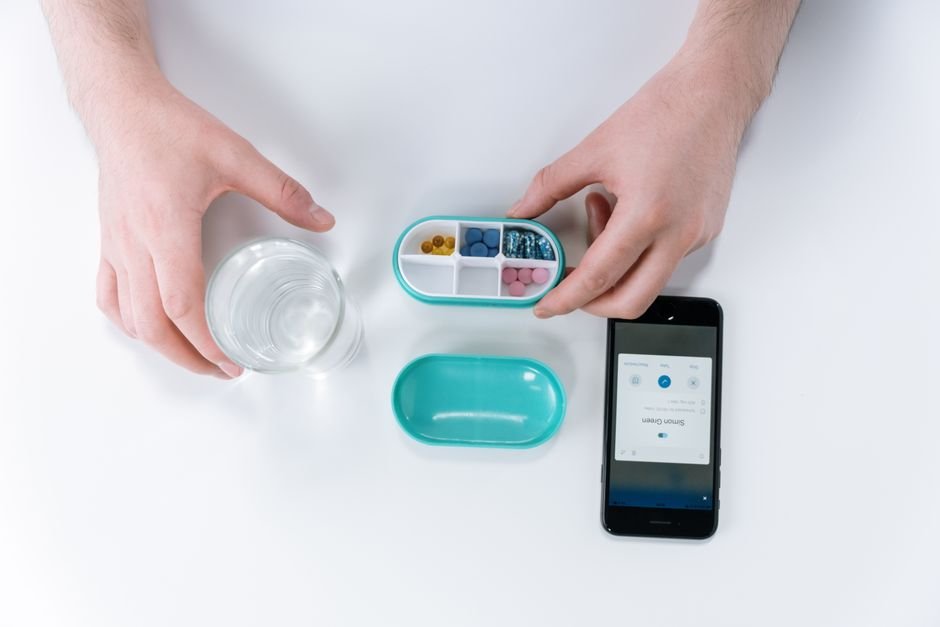
- Pick a reminder tool that fits your routine. Decide whether you’ll use a pill organizer with alarms, a phone reminder app, a fridge chart, or a wearable. Consider where you usually are at medication time and what you’re most likely to notice.
- Map out your schedule visually. Write down or chart out the times for each medication. If you take meds more than once a day, use color coding or separate columns for morning, noon, evening, and bedtime.
- Set clear, specific reminders. Program alarms for each dose, making sure each one matches your actual med times (e.g., “8:00 AM – thyroid pill”). Double-check that alarms are loud enough or that notifications will break through Do Not Disturb settings.
- Place your tools where you’ll see or hear them. Keep your pill organizer beside your toothbrush or coffee maker, stick your fridge chart where you’ll see it making breakfast, or wear your vibration band all day. The more visible, the better.
- Test your system for a few days and adjust. Make sure you can hear the alarm, that the reminders don’t clash with meetings or nap times, and that you’re not tempted to ignore or snooze them. Adjust times or tools as needed.
for reminder tools that fit your daily routine and budget.
Why different tools work for different people
No single system works for everyone. Some people need a blaring alarm that could wake the neighbors; others want a subtle nudge that won’t interrupt a meeting. If you’re visually oriented, a fridge chart or color-coded organizer might do the trick. Tech-savvy folks may prefer a phone app with recurring alarms. If you’re prone to losing your phone or ignoring notifications, a physical organizer with a built-in alarm or a wearable band is usually more reliable. The key is matching the system to your quirks, not forcing yourself into someone else’s routine.
For more on medication management, check out the Centers for Disease Control and Prevention for safe medication tips and printable templates.
Related Guides
Quick decision tree
- If you always have your phone: Go with a simple app-based reminder—set unlimited alarms and get notifications anywhere.
- If you need a physical, can’t-miss alert: Choose a pill organizer with a built-in alarm (especially if you’re likely to ignore phone buzzes).
- If you’re hearing impaired or need discretion: A wearable vibration band is your best bet for private reminders.
- If you want a visual, analog system: Use a fridge chart with a manual timer—no batteries or tech required.
- If budget is the top concern: Magnetic fridge charts or basic phone alarms are the most cost-effective options.
Phone apps vs. alarm pill boxes: Which is easier for forgetful users?
Phone apps are great if you always have your device charged and nearby, but they’re easy to ignore if you tend to swipe away alerts or keep your phone on silent. Alarm pill boxes can be much louder (up to 110 dB) and physically force you to interact with your meds, making them ideal for heavy sleepers or those who routinely forget to check their phone. For pure reliability, a loud, physical alarm is often the safer bet for the truly forgetful.
See today’s deals on pill organizers with alarms for extra peace of mind.
FAQs: Practical issues with medication schedules for busy, forgetful people
How loud are the alarms on pill organizers and timers?
Most alarm pill organizers ring at 80–110 dB, which is about as loud as a lawnmower or a passing motorcycle. Manual dial timers (like those on fridge charts) typically chime at 80–90 dB. If you’re a heavy sleeper, opt for a model at the upper end of the range or consider a wearable with a strong vibration.
Can I set multiple reminders for different meds?
Absolutely. Most digital pill organizers support up to 6 separate alarms per day, and phone apps often allow unlimited reminders. If you need more than 6 alarms, a phone-based system or a more advanced organizer is your best bet.
Is it easy to reset or change reminder times?
On most pill organizers, you can reset times in under a minute using buttons or a small screen. Phone apps make it even quicker—just tap and edit your schedule. Magnetic charts and manual timers are the simplest to reset: wipe and rewrite, or just twist the dial.
What happens if I miss a dose or forget to check?
If you miss a dose, many alarm pill boxes will keep sounding until you open the compartment. Phone apps may offer persistent notifications or repeat the alert until you mark it as done. For manual systems, you’ll need to check the chart or timer to see what you’ve missed. Some people back up their main system with a second, quieter reminder just in case.
How long do batteries last in alarm pill organizers and wearables?
Most alarm pill organizers use AAA or coin cell batteries that last 20–30 days with daily use. Wearable vibration bands typically last 5–7 days per charge, depending on how many alarms you set. Always check battery specs before buying and keep spares on hand for travel or emergencies.
Magnetic fridge chart vs. wearable band — which is better for families?
Fridge charts are great for households where everyone needs a visual reminder in one spot, especially if multiple people have meds. Wearable bands are better for individuals who need private, on-the-go reminders without disturbing others. For families, a fridge chart is usually simpler and more affordable.
Can I return these tools if they don’t work for me?
Most non-prescription reminder tools (like alarm organizers and wearables) come with a 30-day return window, but always check the store’s policy before buying. Keep original packaging and receipts just in case you need to swap for a different system. Some specialty stores even offer “try before you buy” programs for accessibility aids.
View what’s available for magnetic fridge charts and wearable reminder bands—find a fit that matches your lifestyle.
Why the right medication schedule can save your sanity
Missing a dose isn’t just annoying—it can have real health consequences, especially if you’re on time-sensitive medications. A reliable medication schedule cuts down on stress, reduces errors, and helps you feel more in control. For more tips on medication safety and adherence, visit the NHS for trusted guidance and printable medication planners.
Bottom line: the best medication schedule is the one that fits your real life—not the one that looks the fanciest or promises to “hack” your brain. Start simple, tweak as you go, and don’t be afraid to combine tools until you find what sticks. Your future self will thank you (and so will your pharmacist).
Still going to forget, aren’t you?
DontForget is a free Telegram reminder app that doesn’t ping once and give up — it hounds you (in a tone you choose, from gentle to brutal) until you actually do the thing. Nothing to download; it runs right inside Telegram.
Try DontForget free →Last updated: July 2026 · How we research and evaluate