7 min read
Disclosure: As an Amazon Associate and eBay Partner Network publisher, we earn from qualifying purchases. This doesn’t affect what we recommend or how we describe it.
You’re staring at a calendar reminder on your phone… but can’t remember if you already wrote your grocery list on paper, or if it’s buried in an app. Sound familiar? For those of us who misplace to-do lists, forget appointments, or bounce between digital and paper planners, choosing the right planning tool isn’t just about aesthetics—it’s about finally feeling on top of things. This guide cuts through the noise to help you decide: digital planner, paper planner, or some clever mix? Let’s make missed deadlines and double-booked afternoons a thing of the past.
Compare the real pros and cons: digital planners vs paper planners (plus hybrid options)
| Format | Reminder Capacity | Can Set Alarms? | Portability | Typical Battery/Ink Life | Price |
|---|---|---|---|---|---|
| Classic Paper Planner | ~120 pages/year | No | Pocket to A4 size | Pen: ~2 months | $ |
| Digital Calendar App | Unlimited | Yes (up to 30/day) | Phone or tablet | Device: 1–3 days | $ |
| Hybrid Reusable Notebook | ~40 erasable pages | No | A5/A4 size | Pen: ~6 months | $$ |
| Tablet-Based Digital Planner | Thousands of notes | Yes (app-based) | Tablet + stylus | Tablet: 7–10 hours | $$$ |
About the $ symbols: they’re a quick budget/mid/premium read of where each option sits relative to the others in this comparison. See current prices in the live listings below.
Spot the difference: which planner setup actually helps you remember?
Picking a planner is less about whether you’re “a paper person” or “a digital devotee” and more about which system will nag you, gently prod you, or physically block your path until you remember what you meant to do. Here’s how each approach stacks up for the genuinely forgetful and the easily distracted:
- Classic Paper Planners are tactile and satisfying. You can scribble, doodle, and flip. But unless you have the discipline to check it regularly, it won’t shout when you forget your dentist appointment.
- Digital Calendar Apps (think: the ones on most phones) let you set endless reminders, even with different sounds and snooze options. They’re great for people who need their phone to chime and vibrate until they actually get moving.
- Hybrid Reusable Notebooks combine the joy of writing by hand with scan-to-cloud features. You jot, erase, and reuse. But they’re still silent—no pop-up, no ping, no alarm, unless you pair them with a digital reminder app.
- Tablet-Based Digital Planners use styluses for digital handwriting and let you organize thousands of notes. Some support alarms and syncing, but battery life and the bulk of a tablet can be a hassle if you’re prone to leaving things behind.
For most forgetful folks, the real question is: do you need your planner to actively remind you, or do you just want a satisfying place to dump your thoughts?
Compare optionsChoose the right planner for your forgetful brain
Let’s get practical. If you’re always losing your planner (or forgetting to open it), a paper system alone probably won’t cut it. On the other hand, if you’re overwhelmed by notifications or hate typing on tiny screens, digital-only may make things worse. Here’s how to play to your strengths:
- Paper is best if: You love lists, doodles, and the act of writing helps you remember. You’re in control of your schedule—no one is texting you last-minute changes. You check your planner every morning (or at least try to).
- Digital is best if: You rely on your phone for everything, need loud or persistent reminders, or have appointments that change often. You want recurring alarms, location-based nudges, or easy sharing with family.
- Hybrid is best if: You like writing but want a cloud backup. You’re willing to scan pages or snap photos for digital storage, and you don’t need reminders from the notebook itself.
- Tablet-based is best if: You want handwriting with digital power—search, sync, and organize. You’re okay with charging another device and carrying it around.
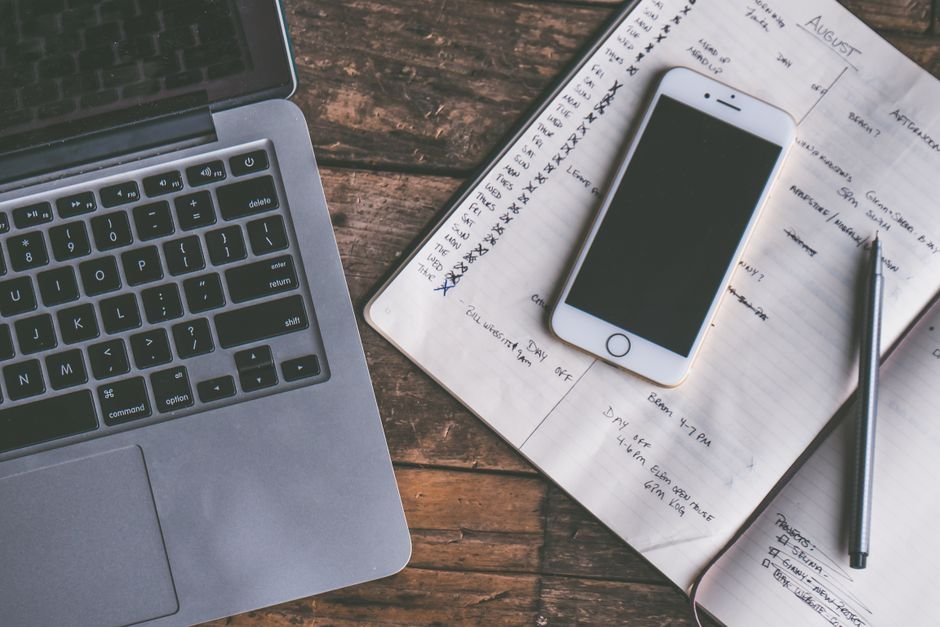
Still torn? Try pairing a basic paper planner with a free reminder app. Jot your plans by hand, then set an alarm on your phone for the things you’re most likely to forget. It’s not fancy, but it’s surprisingly effective for busy parents, students, and anyone with a memory like a sieve.
See today’s dealsRelated Guides
- Digital Planners vs Paper Planners: Which Organiser Really Works?
- Are Digital Planners Actually Worth It? What to Know Before You Buy
- Best Digital Wall Calendars That Actually Help You Stay on Track
- Digital Countdown Timers for Busy and Forgetful People
- Our guide to Digital Wall Calendars That Actually Help You Stay Organized
- Digital Wall Calendars That Are Actually Worth Hanging Up
Common mistakes to avoid
- Buying a planner that’s too big to carry: A gorgeous A4 planner stays home if it won’t fit in your bag. If it’s not with you, it’s not helping.
- Relying on a silent system when you need alarms: Paper planners (and most hybrids) won’t beep or buzz. If you miss appointments without a reminder, you’ll need something digital or an add-on alarm.
- Overcomplicating with too many features: Picking a planner with endless templates, stickers, or app integrations can be overwhelming. Simpler is usually better if you struggle to keep track.
- Ignoring battery life for digital options: A dead phone or tablet means no reminders. Check that your device can last a full day (at least 10–12 hours) between charges.
- Assuming cloud sync solves everything: If you don’t actually check your synced notes or reminders, having them “everywhere” won’t help you remember.
Do digital planners or paper planners actually help you show up on time?
For people who are chronically late or forgetful, the answer comes down to how well you respond to reminders. Digital planners win for active alerts—alarms, pop-ups, and even location-based nudges (like, “Remind me to buy milk when I’m near the store”). Many apps let you set up to 30 reminders per day, with adjustable snooze intervals. Paper planners, on the other hand, rely on your habit of checking them. If you’re not flipping open that notebook every morning, it’s easy to miss deadlines.
Some experts, including the National Institute of Mental Health, note that external reminders and structured routines are crucial for people who struggle with executive function—so a digital system with persistent notifications can be a game-changer.
Check current pricesFAQs: forgetful-person edition
Can I set multiple alarms with a digital planner?
Most digital planners and calendar apps let you set dozens of alarms per day, with customizable tones and snooze durations. Some allow up to 30 reminders for a single event, so you can get nudged before, during, and after your appointment if needed.
How long does a paper planner usually last before I need to replace it?
Standard paper planners cover 12 months, with about 120–180 pages. If you write a lot each day, you may run out of space faster. Hybrid reusable notebooks last until the erasable pages wear out—typically 6 months to a year with daily use.
Digital planner vs paper planner: which is better for people who lose things?
Digital planners are harder to lose if you always carry your phone or tablet, and cloud sync means your data survives device loss. Paper planners can be left behind at home or in the car, and there’s no backup unless you photograph pages regularly. For the chronically forgetful, digital usually wins on this front.
What happens if my phone or tablet battery dies?
If your digital planner lives on your phone or tablet, a dead battery means no access until you recharge. Most devices last 10–12 hours on a full charge, but heavy use (like lots of reminders or screen time) can drain it faster. Keeping a small power bank handy can save the day.
Is it easy to switch from paper to digital—or vice versa?
Switching systems takes a week or two to adjust. Some people copy their most important tasks into both systems during the transition, or use a hybrid approach (paper for notes, digital for reminders). There’s no perfect method—just pick the one you’re most likely to stick with.
Can I return a planner if it doesn’t work for me?
Return policies vary by retailer and format. Most stores accept unopened planners within 30 days, but digital apps may not offer refunds after download. Always check the return or trial policy before buying, especially for pricier digital or hybrid options.
Mix and match: can you combine paper and digital for the best of both worlds?
Absolutely. Many busy people jot down daily plans in a paper notebook, but set digital alarms for key deadlines and appointments. Some hybrid notebooks let you scan or photograph pages into cloud storage, so you can access your written plans from anywhere. There’s no shame in using both—a system that actually helps you remember is the right one for you.
For more on practical planning systems and external reminders, see the national resource center on ADHD for tips on building routines that stick.


Still going to forget, aren’t you?
DontForget is a free Telegram reminder app that doesn’t ping once and give up — it hounds you (in a tone you choose, from gentle to brutal) until you actually do the thing. Nothing to download; it runs right inside Telegram.
Try DontForget free →Last updated: July 2026 · About our research